Accessing Your 1098-T Form (Wingspan > Account Portal)
Winthrop has partnered with TouchNet for the the access of 2025 1098-T tax statements.
Current students' tax forms are now available in the Account Portal via Wingspan Account Details card. Scroll down for instructions (images included).
The Account Portal should already be a familiar to students and authorized users,
as it the same portal used to make payments, view billing statements, set up payment plans, add authorized
users, and view account activity/history.
If you no longer have access to Wingspan, please complete this survey.
- If you do not remember your W#, leave that section blank. Ensure you provide your full birthdate.
- After completion of the survey, a SAS staff member will grant you, the student, access
as an authorized user in the TouchNet Account Portal. Please allow 1-3 business days
for your access to be established. Only students shall be granted access.
- You will be sent login instructions via the email you provide in the survey. Please ensure that you copy and paste the link into your web browser; clicking the link will redirect you to the SAS homepage.
- If you are a current student, do not complete this survey. Navigate to your Account Portal via Wingspan > Account Details
card to access your form.
About the 1098-T
For the specified calendar year (January 1 - December 31), the 1098-T form includes:
- Qualifying Tuition & Fees (Box 1)
- Qualifying fees: Library fee, environmental safety fee, course fees, new student fee
- NOT Qualifying: Student wellness fee/services, vehicle registration, late payment
fee, room & board, post office fee
- Grants & Scholarships (Box 5)
- Recorded payments
*It's important to note:If you enrolled in Spring term courses before Dec 31, the Tuition and Fees for that Spring term will be reflected in the 1098-T of the associated
calendar year, regardles of when the scholarships were applied. Please review Box 7 of your tax form carefully for this information*
To Access Your 1098-T Form:
- Navigate to Wingspan.
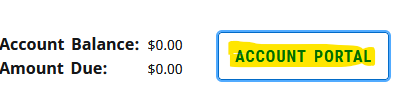
- Identify the Account Details card and click "Account Portal"
-
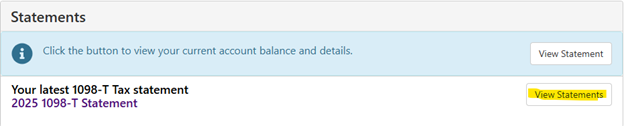
In the middle of the page, you should see the below. Click View Statements
-
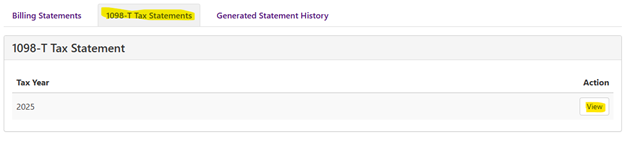
Click on the 1098-T Tax Statements tab and then click View under Action
- A pdf of the 1098-T will be produced for you to open. Please ensure that pdf pop-ups
are allowed.
- You may electronically save a PDF through the Print function. Print to: Save as PDF.
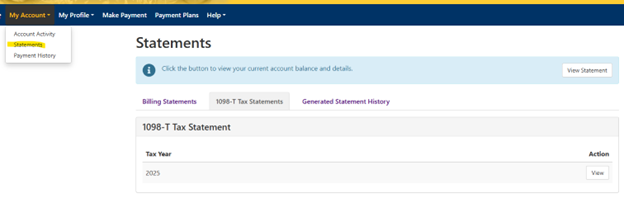
- The 1098-T can also be accessed through Statements under My Account: